AllocIntelby Markets Group

Platform

Everything a member sees, section by section.

Six areas make up the member experience: a personalized dashboard, the directory and its search, organization and person profiles, lists, alerts, and a private activity report.

Dashboard

A home screen you arrange yourself

Directory metrics for organizations, people, fund managers, and allocators sit at the top, each with its 30-day change and a direct route into the matching search. Below them, widgets can be shown, hidden, and dragged into the order you prefer, saved per user and resettable to the standard layout.

  • Updates to Your Network: recent approved changes on tracked records
  • Recently Updated Contacts and Organizations, on 7-, 30-, or 90-day windows
  • My Lists, Saved Searches, Markets Group content, and Upcoming Forums
Customizable dashboard widgets

Directory search

Two directories, one set of controls

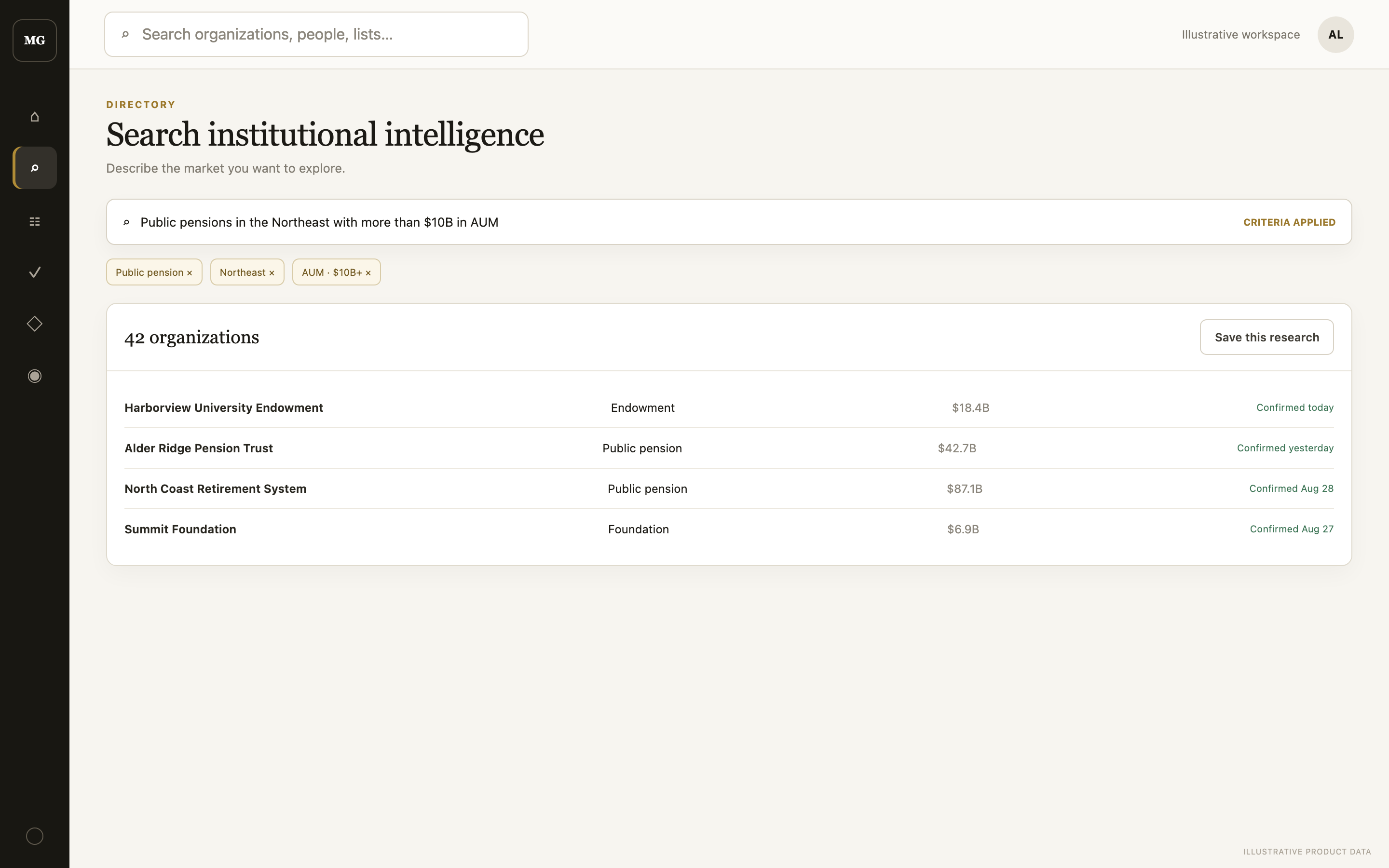
Search organizations or people, by keyword or in plain language. Requests that can be represented by the existing filters are applied immediately with a readable summary; anything ambiguous is declined with a reason. Filters cover role, hierarchical location, AUM band, strategy, and asset class, and results sort by name, recency, or AUM.

  • Entity type, query, filters, sort, and page held in a shareable URL
  • Row and page selection with bulk save to a new or existing list
  • Saved searches as quick-access chips, with a result-count snapshot
Filtered allocator search results

Profiles

Organizations and the people inside them

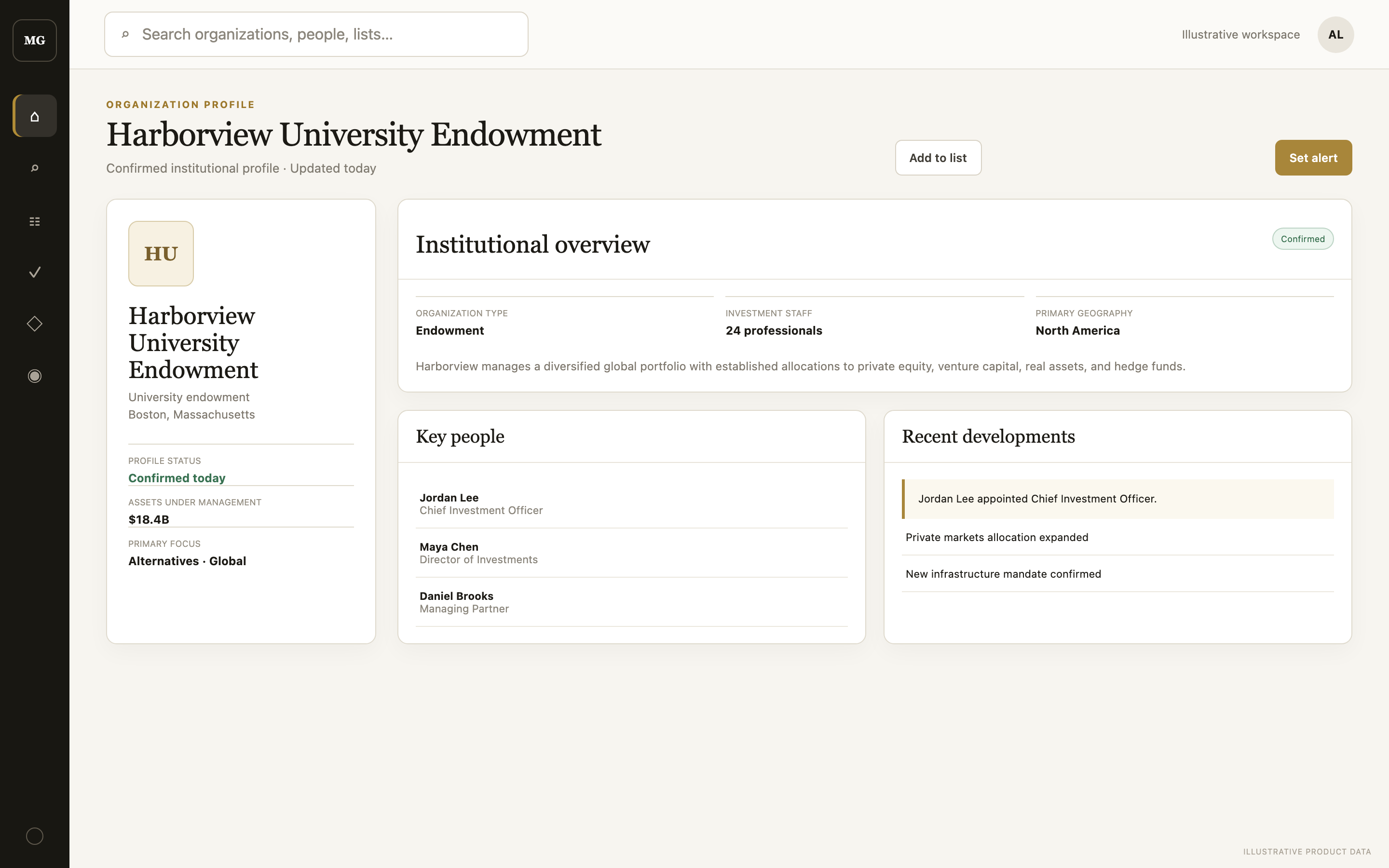
An organization profile carries identity and contact details, AUM and strategy statistics, the firm overview with regulatory detail such as CRD number and discretionary AUM, its contacts, associated news and forums, and recent approved changes. Person profiles show role, biography, strategy tags, primary-contact organizations, and related contacts at the same firm.

  • Watch, save to a list, or log an activity from the header
  • One private note per record, visible only to you
Contact intelligence profile

Lists

Private working sets

Every list belongs to one user and one entity type, which keeps columns consistent and means save actions only offer compatible lists. Records can be added from search results, dashboard tables, and profile headers, one at a time or in bulk. Removing an item affects only your workspace, never the shared directory record.

  • Up to 100 lists per user, 1,000 items per list
  • Muting a list stops its members from generating updates
Curated investor lists

Watches & notifications

One notification per approved change

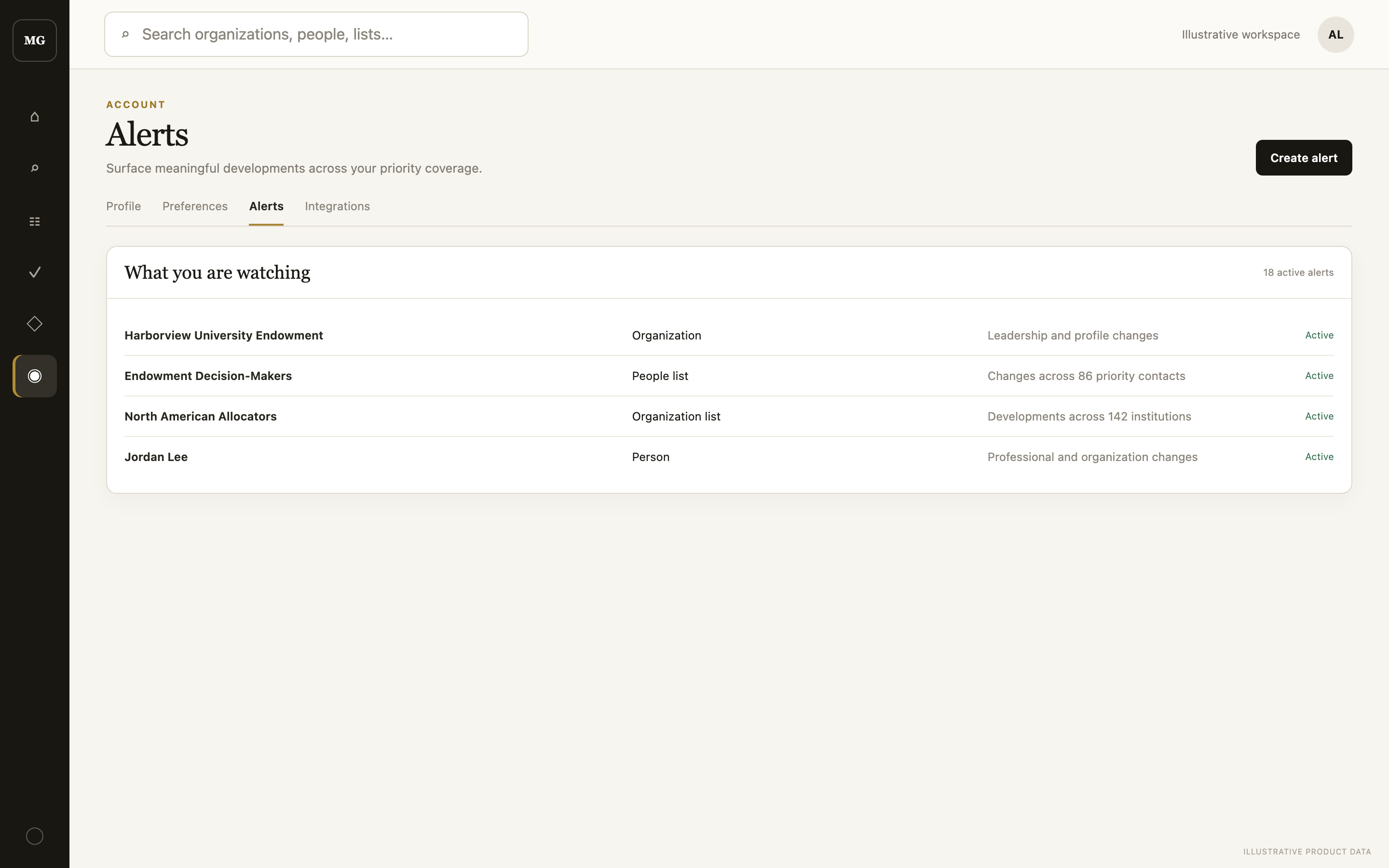
Your tracked set is the union of direct watches and the members of your unmuted lists; tracking an organization also covers its associated people. Fields approved together become a single notification with a plain-language summary, and a person moving firms gets a dedicated switched-organizations line.

  • Unread counts on the rail and top bar; mark one or all read
  • Tracking starts when you start watching, with no historical backlog
  • The Watching panel mutes, unmutes, or stops any watch
Organization contacts and notifications

Activity & tasks

Follow-ups where the records are

Private tasks group into Today, Overdue, Upcoming, and Done using your browser timezone. A task carries a title, note, type of Call, Meeting, Email, Deadline, or Task, a due date and time, and an optional link to an organization or person. Log Activity on a profile opens the same form already linked to that record.

Integrated activity and task workflow

See it against your own coverage.

Tell us who you cover and we will review your request.

Request access